
Status Dropdowns
Interactive inline status dropdowns with page-local or reusable choices and persistent values.
- Plugin ID:
me.kumbuka.status-dropdowns - Source version:
1.7.1 - Permissions:
browser:render,settings:read,storage:read,storage:write,pages:content
Source · Releases · Installation
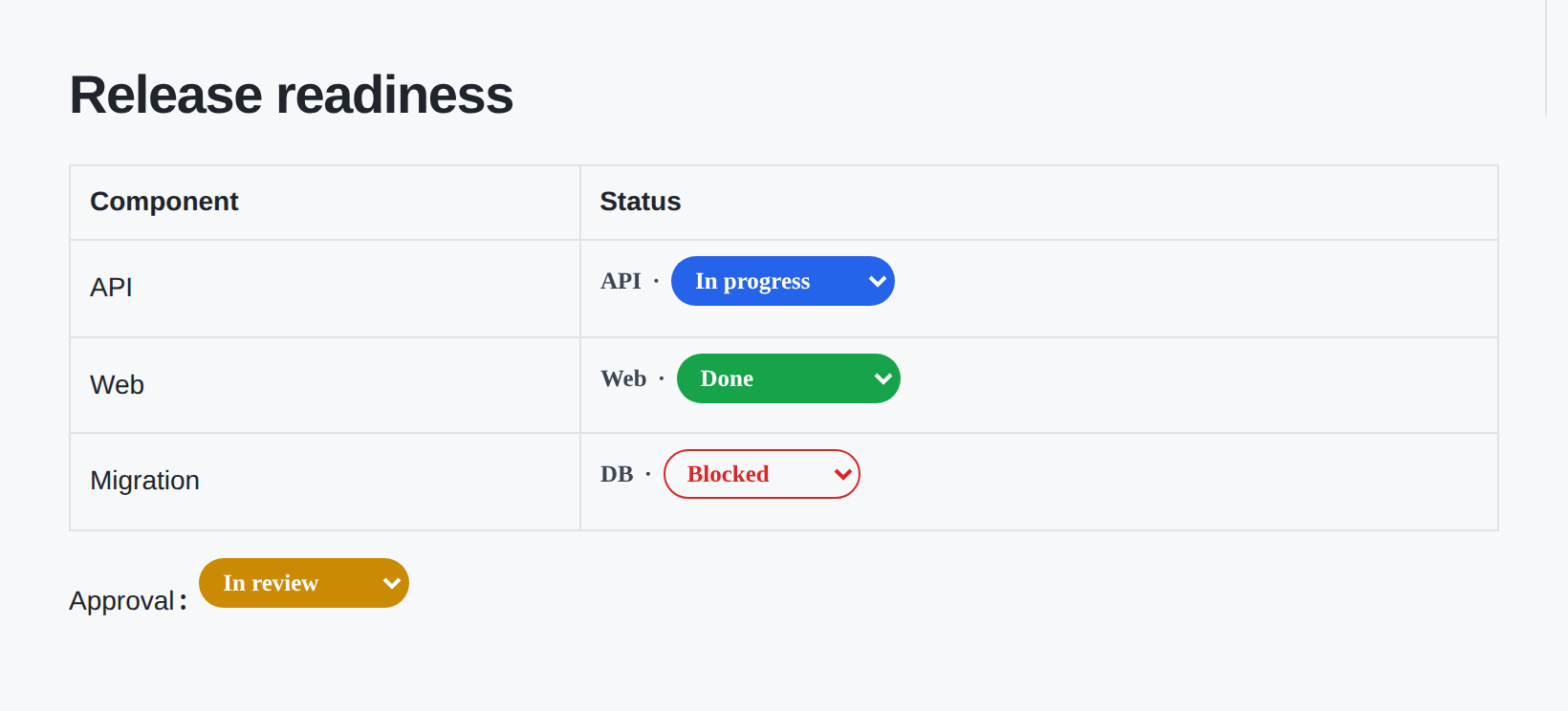
Status Dropdowns adds compact, configurable status dropdowns to Kumbuka pages. Choices can live directly in the page Markdown or come from reusable administrator-managed sets. On a rendered page, selecting a new value goes through Kumbuka’s host-mediated plugin command boundary, is validated against the page’s current declaration, persisted, and then shown everywhere that uses the same status ID.
The plugin is inspired by the status workflow of Confluence apps such as Handy Status while keeping browser code isolated from Kumbuka’s DOM, credentials, and storage APIs.
Page-local statuses
For ordinary page-specific workflows, put the choices directly in the status declaration:
{{status id="release-readiness" options="To do;In progress;Blocked;Done" prefix="Release"}}
The options list accepts semicolon-separated values. Commas are also accepted when no semicolon is present. When colors is omitted, Status Dropdowns assigns a stable default palette.
Specify colors only when the page needs them explicitly:
{{status id="risk" options="Low;Medium;High;Critical" colors="#64748b;#2563eb;#ea580c;#dc2626" style="outline"}}
Named colors gray, blue, green, yellow, orange, red, purple, teal, and pink are accepted in colors as a shorthand for their built-in hexadecimal values.
The id is the persistent identity of the status. Keep it stable when moving the declaration and make it globally unique across the Kumbuka instance. Two declarations with the same id intentionally share one stored value.
Available attributes are:
id— required stable identifier. Letters, numbers,.,_,-,/, and:are supported.options— page-local choices. Use this orset, never both.colors— optional page-local colors parallel tooptions.set— optional reusable built-in or administrator-managed set name instead ofoptions.initial— optional initial value. If omitted, the first configured status is used.prefix— optional text displayed before the current value.style—solid(default) oroutline.
Status declarations inside fenced code blocks or inline code stay literal.
Visual editing
Kumbuka versions that support the optional plugin visual-editor contract render a status as its real badge in Visual mode. Select the badge to edit its ID, reusable set, page-local choices, colors, initial value, prefix, and style in a popover. Page-local choices use separate Status and Color columns with a color picker; workflow and approval are offered as reusable-set suggestions. Markdown remains the canonical saved format, and switching modes preserves the status declaration.
Plugins and older Kumbuka versions that do not understand assets/visual-editor.json continue to use the Markdown declaration normally; the asset does not change the plugin runtime syntax.
Reusable status sets
For workflows shared by many pages, open Administration → Plugin settings → Status Dropdowns → Status sets and create a set. The status editor presents one row per choice with separate Status and Color columns; the color uses the browser’s color picker. Add and remove rows without writing Label|color syntax.
Then reference the reusable set:
{{status id="production-deployment" set="deployment" prefix="Production"}}
Two built-in sets work without administration setup. workflow contains To do, In progress, Blocked, and Done; approval contains Draft, In review, Approved, and Rejected. An administrator-managed set with either name overrides its built-in counterpart.
Errors
Malformed declarations and invalid reusable sets render a visible inline Status error with the concrete reason instead of silently disappearing or becoming a generic unavailable badge. Host-side administrator validation also rejects malformed structured rows and invalid colors before they are stored.
Change a status
On a rendered page, open the status dropdown and select another value. The dropdown runs inside Kumbuka’s isolated browser-module frame. A trusted user change is relayed by Kumbuka to the plugin’s page-details widget command; plugin JavaScript cannot directly access Kumbuka cookies, DOM, HTTP APIs, or storage.
The command handler does not trust the submitted action alone. It rereads the current page, finds the current declaration, resolves its current page-local or reusable choices, and only then accepts a matching status choice before writing plugin storage.
The Status controls section in page details remains available as a non-JavaScript fallback for the same actions. Editor previews deliberately do not submit status commands; change persisted statuses from the rendered page.
Permissions
browser:renderruns the dropdown UI in Kumbuka’s isolated browser-module frame.settings:readreads administrator-managed reusable status sets.storage:readreads the persisted value for each status ID.storage:writechanges a status after a validated host-mediated command.pages:contentrereads the current page so status commands can be validated against its current Markdown.